
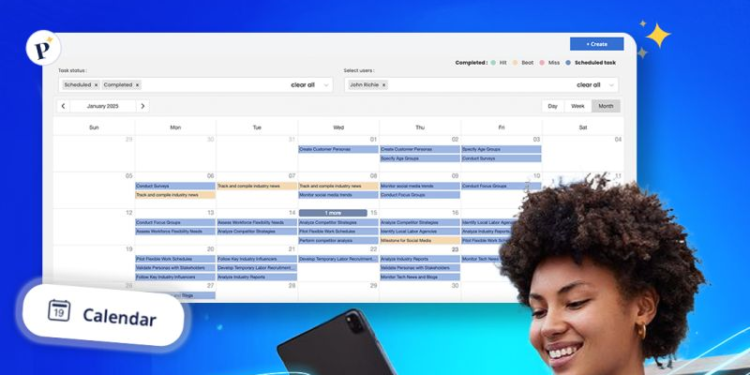
Plansom is an AI planning tool that reads a strategic plan, an annual workplan, or a task list and turns it into a prioritized implementation plan in which every task has an owner and a deadline. It is useful for associations and NGOs across the Arab world that write their strategy once a year and then struggle to turn it into clear weekly work.
Key features
- AI plan generation: upload up to five files (PDF, Word, PowerPoint, Excel, CSV, and others, 20 MB in total) and Plansom proposes a prioritized plan.
- AI Coach: scores every task and suggests the next step with the most impact on a goal.
- Success metrics and AI reporting: tracks progress against the results you define, which sits closer to a results framework than a plain task list.
- Bottleneck alerts: flags activities at risk of missing a deadline.
- Shareable plans: every goal and task has its own link, so partners or board members can view it without an account.
- Where it runs: web, iOS, and Android apps, plus a Microsoft Teams integration. Plansom states it is SOC 2 certified and GDPR compliant.
Pricing
| Plan | Price | Includes |
|---|---|---|
| Free | $0 | 5 goals, 100 tasks, 1 AI plan per month, unlimited sharing |
| Pro | $28 per user per month | Unlimited goals and tasks, full AI features, reporting, integrations |
| Enterprise | Custom quote | Available on request |
A 7-day free trial is available with no credit card. Prices are in US dollars, and Plansom does not publish a nonprofit discount, so ask its team directly if that matters to you. Some software directories still show an older, lower Pro price, so check Plansom’s site before budgeting.
Prices change over time. Figures above are based on Plansom’s own pricing information.
Pros and cons
| Pros | Cons |
|---|---|
| Turns a strategic plan into activities with owners and deadlines quickly | Per-user pricing rises as the team grows |
| Outcome tracking sits closer to monitoring and evaluation frameworks than ordinary task lists | Free plan limited to 5 goals and one AI plan a month |
| Plans can be shared with implementing partners or funders by link | No confirmed Arabic interface |
| Mobile apps suit field teams | A newer tool with fewer independent reviews than established project software |
Plansom vs Trello
Trello is a flexible board your team fills in by hand. Plansom starts from your documents and proposes the plan and the priorities. If the real problem is deciding what to do this week out of dozens of activities, Plansom’s approach fits better. If the plan is already clear and you only need a shared board, a simpler tool may be enough.
Who it’s best for
Program and operations teams at associations, NGOs, and social enterprises across the Arab world that have a written strategic plan, logframe, or annual workplan and need to assign it to people and dates. Link sharing helps keep an implementing partner or a funder’s program officer informed without adding paid seats.
Skip it if your organization already works in another tool everyone uses, if the whole team needs an Arabic interface, or if you are looking for a system to manage grants, budgets, and donor compliance reports. Plansom plans and sets priorities. It does not replace a grants management system.
How to get started
Start the 7-day trial and upload a real document, such as this year’s plan or the workplan of a funded project. Make sure the generated plan reflects how your team actually works before inviting colleagues or moving to Pro.
FAQ
Is Plansom free? Yes, the free plan includes 5 goals, 100 tasks, and one AI plan per month. Pro removes those limits.
Can a funded project’s logframe be turned into tasks? Plansom accepts common formats such as PDF, Word, and Excel, so the project plan can be the starting point. Review the result carefully, since the proposed plan will not know your donor reporting dates unless they are in the document.
Are shared links safe for sensitive information? Anyone with the link can see what you share, so avoid sharing plans that contain data about beneficiaries or staff.
Disclosure: elathar may earn a commission if you sign up for Plansom through the links in this article. This does not change what you pay, and it does not influence which tools we choose to cover.