
What if you could turn every website visitor into a potential customer, even while you sleep?
In today’s fast-paced digital world, visitors expect instant answers. They want help now, not tomorrow. A slow response can mean a lost sale.
Modern customer engagement requires more than just a contact form. It needs real-time conversation tools that work around the clock.
This is where powerful live chat software comes in. Tidio combines human agents with smart automation. It helps you provide 24/7 support without hiring a night team.
One solution stands out with over 300,000 users worldwide. It boasts a 4.8+ star rating from businesses in 150+ countries. Tidio centralizes all customer conversations into one simple inbox.
You can manage chats, automate FAQs with AI chatbots, and track visitor data. All from a single dashboard that integrates smoothly with popular platforms.
Key Takeaways
- Live chat software transforms how businesses interact with website visitors in real time.
- Combining human agents with AI automation ensures 24/7 customer support coverage.
- A unified inbox centralizes conversations from multiple channels for team efficiency.
- Smart chatbots handle repetitive questions, freeing agents for complex issues.
- Proactive messaging can increase sales conversions by engaging visitors at the right moment.
- Tidio offers a free plan with scalable pricing for growing businesses.
- Seamless integration makes it accessible regardless of technical skill level.
What is Tidio? Defining the Live Chat Platform
The journey from a basic website add-on to a full-featured customer engagement suite defines this tool’s evolution. It now acts as a central hub for all customer interactions.
This platform connects multiple channels into one simple interface. Businesses manage everything from a single dashboard.
From Simple Widget to All-in-One Support Suite
It began as a straightforward live chat widget for websites. The goal was simple: let visitors talk to a business in real time.
Today, it has grown into a comprehensive support system. The software includes AI-powered chatbots and ticketing systems.
Advanced visitor tracking and detailed analytics are also key features. This evolution mirrors a major shift in customer service technology.
Companies now seek integrated platforms that balance smart automation with a human touch. This solution bridges the gap between basic tools and complex enterprise systems.
Core Mission: Real-Time Engagement and Automated Support
The core mission is dual-focused. First, it facilitates instant connection between businesses and website visitors.
Second, it provides automated support for common questions. This dual approach optimizes team efficiency.
Human agents handle complex issues and sales conversations. Meanwhile, chatbots manage routine inquiries and responses.
All conversations from website chat, email, and social messages flow into a unified inbox. This architecture helps maintain personal relationships while scaling operations.
Renowned for its user-friendly design, the platform allows for quick website integration. Many users can deploy it and start communicating with customers within minutes.
Tidio’s Core Feature Set: More Than Just a Chat Box
The true power of a modern chat solution lies not in a single feature, but in a connected ecosystem of engagement tools. This platform delivers a comprehensive system designed to capture, understand, and convert website traffic.
It combines real-time human interaction with smart automation and centralized management. This approach transforms a simple chat widget into a powerful growth engine.
Live Chat with Real-Time Visitor Tracking
The foundational live chat feature enables instant connection. Support agents can see what a visitor is viewing in real-time.
This context allows for highly relevant assistance. Features like typing preview and canned responses speed up conversations.
Visitor tracking provides a wealth of data. You can see a user’s location, referral source, and pages browsed.
This intelligence turns every chat into an informed conversation. It helps businesses provide better service and close more sales.
The Unified Inbox: Centralizing Multi-Channel Conversations
Managing messages across different platforms is inefficient. The unified inbox solves this critical issue.
It pulls conversations from website chat, email, and social media into one view. Teams never miss a message or have to switch tools.
Automatic chat assignment and internal notes streamline team collaboration. This centralization is key for managing customer support at scale.
It ensures a consistent service experience no matter how a customer reaches out.
Proactive Messaging and Behavioral Triggers
Waiting for website visitors to click the chat widget means missed opportunities. Proactive messaging flips the script.
You can automate the start of a conversation based on specific visitor actions. Common triggers include exit intent or time spent on a page.
For e-commerce, a behavioral trigger can recover abandoned carts. A chatbot can offer help when a user views a product for an extended time.
This feature set allows businesses to engage at the perfect moment. It significantly boosts conversion rates by addressing questions before they lead to exit.
Together, these features create a seamless customer journey. From the first site visit to post-purchase support, every interaction is connected.
The free plan offers access to core tools, making it easy for any business to start. This comprehensive system proves that modern live chat is about much more than just chat.
Lyro AI: The Heart of Tidio’s Automation
At the core of modern customer service automation lies an intelligent system designed to understand and respond like a human. This AI-powered chatbot represents the next evolution in automated support technology.
It learns continuously from your business materials to handle inquiries across multiple platforms. The system provides consistent, accurate answers around the clock.
How Lyro Learns and Handles Customer Queries
The training process begins with your company’s knowledge base. The AI analyzes help articles, FAQs, and website content to build its understanding.
Natural language processing technology allows it to interpret questions phrased in various ways. It recognizes intent behind customer messages, not just keywords.
Historical conversation data further refines its response accuracy. The system identifies patterns in successful human-agent interactions.
This learning approach enables the chatbot to manage common questions about shipping, returns, and product details. It can also provide order updates and recommend relevant products.
The AI qualifies sales leads by asking targeted questions during initial conversations. This functionality helps route promising opportunities to your sales team efficiently.
Capabilities and Limits: The 70% Resolution Claim
The platform claims its AI can resolve up to 70% of customer inquiries automatically. This target represents a significant reduction in workload for human support agents.
Practical applications include answering frequent questions across chat, WhatsApp, Instagram, and Messenger. The chatbot pulls answers from your documented information to ensure consistency.
However, performance boundaries exist for complex or emotional issues. Situations requiring nuanced judgment still need human intervention.
The handoff process between AI and human agents is designed to be seamless. When conversations exceed the chatbot’s capabilities, they transfer smoothly to your team.
Businesses can optimize their use of this automation by maintaining comprehensive documentation. Regular updates to knowledge bases help the AI approach the 70% efficiency target.
Daily Caps and Their Impact on Service
Daily conversation limits represent a key consideration for high-volume businesses. Once the AI reaches its daily cap, it stops responding to new inquiries.
These restrictions can impact service consistency during peak periods. A sudden surge in website traffic might exhaust the available automated responses.
The platform’s free trial allows users to test these limitations before committing. Understanding monthly conversation volumes helps select the appropriate plan.
During cap exhaustion, the system defaults to human-agent handling or queuing. This ensures customers still receive assistance, though response times may increase.
For businesses with predictable traffic patterns, daily caps present minimal disruption. Those with variable volumes should monitor usage closely to maintain quality service.
Ease of Use and Setup: Getting Started in Minutes
Getting started with advanced chat software should feel straightforward, not like a complex IT project. The platform’s design philosophy prioritizes rapid deployment and intuitive operation. This approach lets businesses focus on customer engagement rather than technical configuration.
Initial setup typically completes in under thirty minutes. The process begins with collecting basic business information like your name, email address, and website URL. You also specify your main goal, such as increasing sales or improving support.
Personalized instructions then guide you through platform-specific integration. The system recognizes whether you use Shopify, WordPress, or another platform. It provides tailored steps for adding the chat widget to your site.
Simplified Installation, Especially for WordPress
WordPress users benefit from particularly streamlined integration. A dedicated plugin makes adding the chat widget to any WordPress site simple. Installation requires no coding knowledge or advanced technical skills.
The dashboard guides new users through logical next steps after setup. These include connecting additional channels like Facebook Messenger and Instagram. Clear prompts ensure you configure essential features without confusion.
This technical simplicity empowers non-technical users to deploy sophisticated automation. Even small business owners can manage advanced chat features independently. The platform removes traditional barriers to implementing professional customer service tools.
Dashboard Navigation and Agent Experience
The account interface organizes all critical functions in a clean taskbar. Key sections include Inbox, Flows, Visitors, Contacts, and Analytics. This logical structure helps teams find what they need quickly.
Agents enjoy a streamlined workspace for managing conversations. Tools like canned responses and internal notes boost efficiency. Collaboration features allow seamless handoffs between team members.
Multi-platform accessibility ensures your team can work anywhere. The software runs in web browsers and offers dedicated mobile apps for iOS and Android. Desktop applications are available for Windows, Mac, and Linux systems.
Progressive onboarding within the user interface helps new agents learn quickly. The system introduces features gradually as teams become more comfortable. This approach prevents information overload during initial training periods.
Customizing the Chat Widget to Match Your Brand
Comprehensive customization options maintain your brand’s visual identity. You can adjust the chat widget’s color scheme to match your website palette. Positioning controls let you place it exactly where visitors expect to see it.
Greeting messages and behavior rules personalize the user experience. You set when and how the widget appears to website visitors. These settings help create a natural, non-intrusive engagement flow.
The platform strikes an effective balance between powerful functionality and user-friendly design. Even complex automation features remain accessible through simple toggle switches and dropdown menus. This design philosophy makes advanced customer service technology available to businesses of all sizes.
Brand alignment capabilities extend across all customer communication channels. Consistent visual elements reinforce your identity during every interaction. This attention to detail helps build trust and recognition with your audience.
Tidio for E-Commerce: A Specialized Toolkit
E-commerce success depends on converting casual browsers into committed buyers through timely, relevant engagement. Tidio offers dedicated features that transform standard live chat into a powerful sales engine for online stores.
These specialized tools address common retail challenges like cart abandonment and product discovery. They create seamless connections between customer questions and completed transactions.
Shopify and WooCommerce Integration Strengths
Deep platform connections give support agents unprecedented access to shopper data. The Shopify integration displays real-time cart contents and order history directly within the chat interface.
Agents can check inventory levels, review shipping details, and even process refunds without switching applications. This eliminates frustrating back-and-forth conversations about basic order information.
WooCommerce stores enjoy similar capabilities through dedicated WordPress connectivity. The system pulls product details, customer purchase records, and current cart status into the agent’s view.
This context enables highly personalized service and faster resolution of common issues. Agents spend less time gathering information and more time providing valuable help.
Cart Abandonment Recovery and Product Cards
Automated campaigns target visitors who leave items in their shopping cart. These chatbot sequences trigger based on specific user behaviors like exit intent or inactivity.
The system can offer discounts, answer last-minute questions, or simply remind shoppers about their pending selections. This proactive approach recovers significant revenue that would otherwise be lost.
Product cards represent another powerful sales tool. Agents can share rich product information including images, descriptions, and direct links within chat messages.
This functionality enables effective upselling and cross-selling during conversation. Customers see exactly what’s being recommended without leaving the chat window.
Order Management Directly in the Chat
The platform eliminates the need for agents to juggle multiple systems. Order status checks, shipping updates, and return processing all happen within the unified interface.
Agents can verify credit card transactions, update delivery addresses, and modify orders in real time. This streamlined workflow dramatically reduces resolution time for common customer questions.
Real-time visitor tracking combines with e-commerce data to create highly contextual interactions. Agents know what products a visitor viewed, what they purchased previously, and what’s currently in their cart.
This comprehensive toolkit bridges the gap between customer support and sales conversion. It turns every chat interaction into a potential revenue opportunity for online businesses.
A Deep Dive into Tidio’s Pricing Structure (2025)
Modern businesses need transparent pricing models that align software costs with actual usage and results. The platform’s structure focuses on conversation volume rather than user seats.
This approach means you pay for the customer interactions you handle each month. It offers scalability from small startups to large enterprises.

The Free Plan: What You Really Get
The free plan provides access to core live chat functionality without payment requirements. You get up to 50 conversations per month and essential features.
This includes the basic chat widget, help desk, and social media integration. A one-time allocation of 50 Lyro AI chatbot conversations is also included.
Small businesses can test the service and handle basic customer questions. It’s ideal for validating the platform’s value before upgrading.
Starter and Growth Tiers: Scaling with Your Business
The Starter plan costs $29 monthly and increases limits to 100 conversations. It adds basic analytics, live visitors list, and operating hours setup.
Dedicated support via live chat becomes available at this level. This tier suits growing businesses needing more consistent customer engagement.
The Growth plan at $59 per month expands to 250 conversations, scalable to 2,000. Advanced analytics and the option to remove branding are key features.
Both paid plans include a 7-day free trial without requiring credit card information upfront. This allows thorough testing of advanced tools.
Plus and Premium Plans: Enterprise-Grade Features
The Plus plan starts at $749 monthly with custom conversation quotas. It includes a dedicated Success Manager and custom branding capabilities.
Enterprise features like multisite support, departments, and multilanguage capabilities are standard. OpenAPI access enables advanced integration with other business systems.
The Premium plan begins at $2,999 per month with unlimited handled conversations. It guarantees a 50% Lyro AI resolution rate and provides priority service.
Super admin role capabilities and advanced analysis tools cater to large organizations. Lyro AI operates as a managed service at this level.
Understanding Conversation-Based Billing and Overage Risks
The pricing model charges based on monthly conversation counts rather than user seats. This can be cost-effective for businesses with variable customer contact volumes.
However, exceeding your monthly limit triggers overage charges. These additional fees apply to each extra conversation beyond your plan’s allowance.
Monitoring your conversation data helps avoid unexpected costs. The platform provides analytics to track usage patterns throughout the month.
Selecting the right tier requires analyzing historical customer interaction data. Consider both current volume and projected growth when choosing a plan.
This conversation-based approach differs from traditional per-agent pricing models. It aligns costs directly with customer engagement levels.
Customer Support and Resources: How Tidio Helps You Succeed
Beyond features and pricing, what truly defines a business tool’s value is the support system behind it. The platform provides comprehensive resources that help users maximize their investment.
These materials ensure businesses can solve problems quickly and learn advanced strategies. Quality assistance transforms good software into an indispensable business asset.
Help Center, Playbooks, and Educational Content
The Help Center offers detailed documentation for every platform feature. Users find step-by-step guides for widget setup and chatbot configuration.
Tutorials cover advanced topics like behavioral triggers and e-commerce integration. This self-service knowledge base addresses common questions before they require direct support.
Educational playbooks provide strategic frameworks for improving customer service. Free e-books explore using AI tools to enhance sales techniques.
Case studies show how businesses replicate in-store shopping experiences using chatbots. These resources help teams develop better engagement strategies beyond basic platform use.
The materials are designed for both new users and experienced teams. They support continuous learning as business needs evolve each month.
Support Tiers: From Email to 24/7 Phone
Support access varies significantly across subscription plans. The free plan includes standard email assistance during normal business hours.
This basic level helps resolve common setup questions and configuration issues. Paid plans unlock more responsive support options for growing businesses.
The Conversations and Chatbots tiers offer priority email support including weekends. These plans also provide 24/5 live chat access for urgent technical questions.
Premium enterprise subscribers receive 24/7 emergency phone support. This tier includes dedicated success managers for complex implementation challenges.
User feedback highlights exceptional responsiveness from the support team. Many report almost immediate first response times in live chat channels.
This tiered approach ensures businesses get appropriate help for their investment level. It matches support resources to each company’s operational requirements.
The platform’s educational content helps users optimize chatbot performance. Teams learn to create better automated responses for common customer inquiries.
Comprehensive resources reduce dependency on direct support over time. Businesses develop internal expertise while maintaining access to expert assistance when needed.
Security and Reliability: Is Your Data Safe?
The digital trust between a company and its customers depends entirely on the security framework of their communication tools. Every chat message and customer detail exchanged through a live chat platform represents sensitive business intelligence.
This information demands enterprise-grade protection measures. Businesses must verify that their chosen service provides robust security without compromising performance.
Encryption and Data Handling Policies
Modern chat platforms employ Transport Layer Security (TLS) encryption for all conversations. This protocol creates a secure tunnel for messages traveling between your website and the platform’s servers.
Sensitive data like passwords and credit card numbers receive additional protection. They are stored using one-way cryptographic hashing that prevents reverse engineering.
The platform maintains strict data handling policies regarding customer information. It pledges not to share or redistribute any business data collected through the service.
Access controls ensure only authorized team members can view specific conversations. Audit logging tracks all user activities within the system for compliance purposes.
These security features address common concerns about message interception. They provide peace of mind for businesses handling sensitive customer questions.
Infrastructure and Uptime Considerations
The platform operates on Amazon Web Services (AWS) infrastructure. This cloud hosting option provides enterprise-level reliability and scalability for growing businesses.
AWS servers maintain high uptime percentages through redundant systems. This ensures your chat widget remains available to website visitors at all time.
Disaster recovery procedures protect against data loss from unexpected events. Regular backups preserve conversation history and customer contact information.
Performance optimization measures ensure fast loading time for the chat interface. The platform balances security features with responsive service delivery.
Scalable architecture supports businesses as their conversation volume increases each month. The system adapts to handle peak periods without degrading performance.
Compliance standards address various data protection regulations. The platform’s security framework meets practical business requirements while maintaining robust protection.
This infrastructure supports the seamless integration of chatbot automation with human agents. It ensures reliable service whether handling simple questions or complex issues.
Businesses retain ownership of all customer interaction data collected through the platform. Export capabilities allow companies to maintain control over their communication records.
The security architecture enables teams to focus on providing excellent support. They can trust that the technical foundation protects every conversation.
Tidio vs. The Competition: How It Stacks Up
The live chat software market offers several strong contenders. Each platform has distinct strengths for different business needs.
Choosing the right solution requires careful comparison. You must weigh features against pricing and target audience fit.
Some platforms excel at enterprise-level capabilities. Others focus on affordability and ease of use for smaller teams.
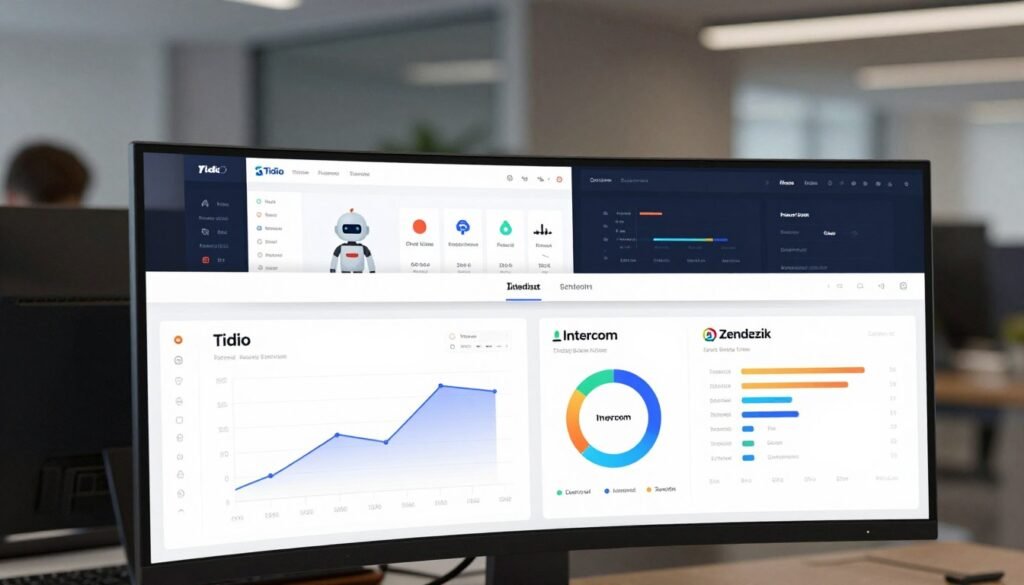
Comparison with Intercom: Features vs. Affordability
Intercom presents a comprehensive feature set for growing companies. It offers live chat, conversational bots, and advanced ticketing systems.
The platform includes help centers and lead qualification tools. A/B testing capabilities span across Support, Engage, and Convert plans.
However, these extensive features come at a higher cost. Intercom’s pricing targets established businesses with larger budgets.
This platform shines for teams needing sophisticated marketing automation. Its tools support complex customer journey mapping.
Smaller operations might find the cost prohibitive. The learning curve can also be steeper for new users.
Comparison with LiveChat: AI and Pricing Models
LiveChat focuses on core chat functionality with established market presence. Its plans start at $20 per operator each month when billed annually.
The platform provides reliable live chat and basic chatbot capabilities. Ticketing systems help manage customer support workflows.
A key difference lies in artificial intelligence implementation. LiveChat lacks a self-learning AI chatbot like Lyro.
This affects long-term automation potential for handling common questions. Human agents must manage more routine conversations.
Pricing follows a traditional per-user structure. Costs scale directly with your team size rather than conversation volume.
Hiver as an Alternative for Multi-Channel Teams
Hiver takes a different approach to customer service unification. It brings email, live chat, WhatsApp, and social media into one interface.
The platform uses AI Copilot for drafting responses. AI Agents handle FAQ responses across channels.
Advanced analytics provide insights into churn risk detection. This helps businesses address potential issues before customers leave.
Pricing starts at $35 per user monthly. This per-seat model differs from conversation-based billing.
Hiver suits teams already working within Gmail. Its integration focuses on enhancing existing email workflows.
The platform excels at managing high-volume email support. It adds chat and messaging as complementary channels.
Selecting the right platform depends on your primary goals. Budget constraints and growth projections matter significantly.
Small to mid-sized businesses often prefer conversation-based pricing. This aligns costs directly with customer engagement levels.
Enterprise teams might need advanced ticketing and help center features. These capabilities justify higher per-user expenses.
Consider your current website traffic and expected visitors. Also evaluate how your team handles messages today.
The best chat widget solution fits both your present needs and future scale. Test different platforms to see which integration feels most natural.
Many providers offer free plan options or trial periods. Use these to assess real-world performance before committing.
Conclusion: Who Should (and Shouldn’t) Choose Tidio?
Choosing customer service software isn’t about finding the ‘best’ tool, but the right fit for your operation.
Small to mid-sized businesses and e-commerce stores will find the most value here. The platform excels with its rapid setup, strong Shopify and WordPress integration, and effective AI for common questions.
Teams needing quick chat deployment without complex workflows appreciate the straightforward tools. The conversation-based pricing can benefit businesses with fluctuating website visitor volumes.
However, enterprises requiring advanced ticketing or predictable per-user pricing might explore alternatives. Companies with complex multi-channel operations may need more extensive automation features.
Start with the generous free plan to test the live chat widget and chatbot capabilities. This no-credit-card trial lets you evaluate performance with real customer conversations before committing.
FAQ
Is there a truly free plan available?
Yes. The free tier allows up to three operators and includes core live chat with visitor tracking. You can use the basic chatbot builder and handle up to 50 unique conversations per month at no cost. No credit card is required to start.
How does the conversation-based billing work?
Your monthly cost depends on your total resolved chats, not just website visitors who open the widget. Each plan includes a set number of these conversations. Exceeding your limit may result in overage charges or paused service until the next billing cycle.
Can the software integrate with my e-commerce platform?
A> Absolutely. Direct integrations with Shopify and WooCommerce are a major strength. These connections enable features like showing product cards in the chat window, recovering abandoned carts, and managing orders without leaving your dashboard.
What kind of customer service can I expect from the provider?
Support levels vary by your chosen plan. All users get access to a comprehensive help center. Paid subscriptions unlock priority email support, while higher tiers include live chat and even 24/7 phone assistance for urgent issues.
How effective is the AI chatbot at handling common questions?
The Lyro AI chatbot is designed to resolve up to 70% of routine inquiries automatically. It learns from your website’s content and past support tickets. For complex or unique issues, it smoothly transfers the conversation to a human agent.
Are there any long-term contracts or cancellation fees?
No. The service operates on a month-to-month subscription model. You can upgrade, downgrade, or cancel your plan at any time directly from your account settings, providing significant flexibility.