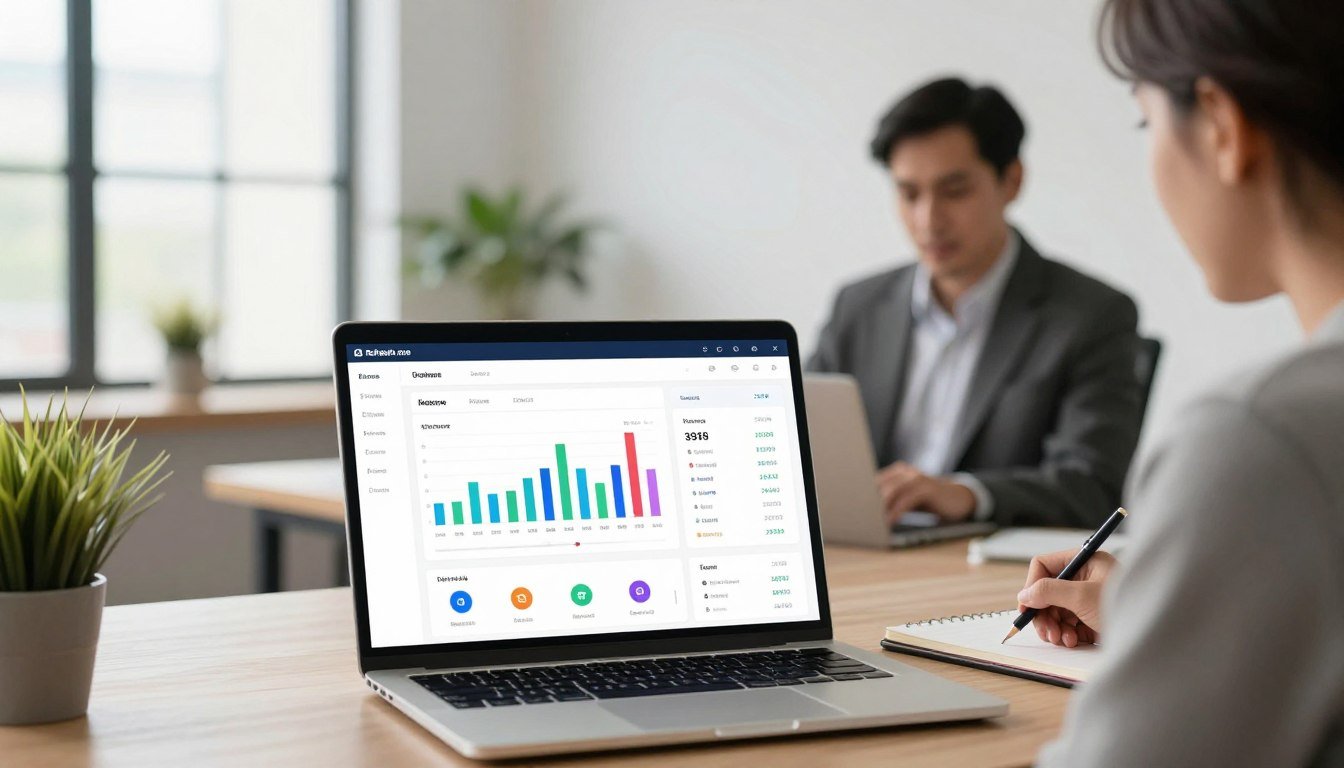
What if you could manage your money in half the time it takes you now? For many in the United States, keeping track of bills, budgets, and investments feels like a second job.
This comprehensive platform is designed to tackle that exact problem. It brings all your accounts into one clear view.
You gain a powerful tool for taking control. It automates the tedious tasks that eat up your day. The goal is to turn complex data into simple, actionable information.
This how-to guide will show you exactly how to get started. You will learn to set up your account, connect your banks, and use the core features. We’ll cover best practices for tracking spending, managing budgets, and planning for goals.
The result is reduced financial stress and more efficient money management. Think of it as your financial command center for the present day.
Key Takeaways
- Refresh.me consolidates all your financial accounts into a single, easy-to-understand dashboard.
- The platform automates tracking and categorization to save you significant time.
- It provides clarity and control, helping you make informed decisions about your money.
- This guide offers a step-by-step approach to maximize the tool from day one.
- Users can expect to reduce financial stress and improve their management efficiency.
- The tool acts as a central command center for budgets, investments, and financial goals.
- Setting up is straightforward and focuses on giving you immediate visibility into your finances.
Introduction to Refresh.me: Your Financial Command Center
The modern challenge isn’t just making money, but efficiently managing the information it creates. Juggling logins for banks, credit cards, and investments leaves you with a fragmented picture.
What is Refresh.me?
Refresh.me is a dedicated personal finance software product created by Refresh.me, Inc. The company is headquartered in Saint Petersburg, Florida, with a physical office at 740 4th St N, Suite 337.
This established place of business adds a layer of credibility and trust to the service. It is designed as a central hub for your entire financial life.
The Problem of Modern Financial Management
Most people face a common set of issues. Accounts are scattered across different institutions. Manual tracking is time-consuming and prone to error.
There is often a lack of real-time insights. This complexity leads to big questions without clear answers. Where is my money going? Am I on track for my goals?
Without the right tools, this chaos creates stress and wastes valuable time.
How Refresh.me Provides a Solution
This platform serves as a centralized solution. It securely aggregates all your financial information into one dashboard.
You get a complete, unified view of your finances. The service automates tracking and categorization.
It eliminates the need to juggle multiple apps and logins. This is transformational for busy people seeking straightforward answers.
The core benefit is turning chaotic data into actionable information. This directly improves your financial life by providing clarity and control.
You gain powerful tools to make informed decisions from a single, secure place.
Getting Started with Your Refresh.me Free Trial
Your financial clarity journey starts with a straightforward setup process designed for immediate results. The platform’s free trial lets you explore all core features without any payment required.
This hands-on period is your opportunity to see how the system works with your actual finances. You can test drive the dashboard, connect accounts, and try budgeting tools.

Creating Your Account
Beginning your free trial takes just a few minutes. Visit the official website and click the sign-up button.
You’ll enter basic details like your email and a secure password. The system uses bank-level encryption to protect your personal information.
During setup, you’ll be prompted to name your main financial accounts. Use clear, recognizable names like “Primary Checking” or “Main Savings.”
This helps the platform organize your data effectively from day one. The entire account creation process requires very little time.
Choosing Your Initial Plan
Even during the trial, you’ll select a plan that matches your needs. Options include Individual, Premium, and Business tiers.
The Individual plan covers essential budgeting and tracking. Premium adds advanced investment tools and priority support.
Business is designed for freelancers and small business owners. Your selection during the trial period helps customize your experience.
You can change plans at any time. Starting with a free trial lets you understand the pricing before upgrading.
Downloading the Mobile App
Extend your financial management to your phone with the official mobile app. It’s available for both iOS and Android devices.
Search for “Refresh.me” in your device’s app store. Download and install just like any other application.
Log in with the same credentials you created on the website. The app syncs instantly with your web dashboard.
This gives you real-time access to your finances anywhere. You can check budgets, log transactions, or review spending from your phone.
Learning to use the platform is similar to mastering a new game. The rules are simple, but the strategic benefits are profound.
The intuitive design makes navigation easy. You’ll quickly understand how to move between accounts, budgets, and reports.
Cross-device synchronization ensures you always have current information. Changes made on your phone appear instantly on your computer.
Core Features of Refresh.me to Simplify Your Finances
Moving beyond basic account aggregation, this platform delivers integrated tools that transform raw data into clear insights. These features work together seamlessly within one ecosystem.
You get a complete financial management system instead of separate, disconnected apps. This integration is what saves you significant effort.
Automated Budget Tracking and Spending Insights
The system automatically imports and categorizes your transactions. You no longer need manual data entry for expense tracking.
It learns your spending patterns over time. The platform then provides detailed insights about your financial habits.
This information helps you identify areas where you can save money. You see exactly where your cash goes each month.
The categorization is both automatic and customizable. You can create rules for specific merchants or types of spending.
Bill Management and Smart Reminders
Never miss a payment deadline with the smart reminder system. It tracks due dates for all your connected accounts.
The platform sends alerts before bills are due. This helps you avoid costly late fees and protect your credit score.
You can see all upcoming payments in one calendar view. Recurring transactions are automatically detected and logged.
This feature alone can save you both money and time. Managing bills across multiple apps becomes unnecessary.
Investment Tracking and Net Worth Calculation
Your investment accounts update automatically within the dashboard. You see real-time portfolio values alongside your banking data.
The system calculates your complete net worth by adding all assets and subtracting liabilities. This number refreshes with each market change.
You get a unified view of your entire financial picture. Watching your net worth grow provides powerful motivation.
Automatic updates ensure your calculations are always current. There is no need for manual spreadsheet entries.
Goal Setting and Savings Planner
Define specific financial objectives with the goal-setting tools. Common targets include emergency funds, vacations, or down payments.
The system creates a structured plan to reach each goal. It shows how much to save monthly and tracks your progress.
You can prioritize multiple goals simultaneously. The platform helps balance competing financial priorities.
These planning tools turn aspirations into actionable steps. You move from wishing to achieving with clear milestones.
All these features are protected by bank-level data encryption. Your sensitive financial information remains secure while the system tracks your progress.
Customizable reports transform numbers into understandable narratives. You gain actionable information for better financial decisions.
The platform’s security measures monitor for unusual activity. This includes tracking changes to your credit score and investment price movements.
Everything works together as one cohesive system. This integration is the key to simplifying your financial life.
Setting Up Your Financial Dashboard in Refresh.me
The true power of financial software emerges when you personalize it to reflect your unique money flow. A generic view offers little value compared to a dashboard configured for your specific accounts and goals.
This setup process turns the platform’s capabilities into actionable intelligence. You’ll invest some initial time to gain ongoing efficiency.
Step 1: Securely Connecting Your Bank Accounts
Begin by linking your financial institutions through the secure bank synchronization feature. Navigate to the accounts section and select “Add Account.”
You’ll choose your bank from a verified list of thousands of institutions. The platform uses encrypted connections that meet banking security standards.
Enter your online banking credentials only once. The system establishes a read-only connection, meaning it can view transactions but cannot move money.
This data encryption ensures your sensitive information remains protected. The verification process confirms the connection and begins importing your transaction history.
Step 2: Customizing Your Expense Categories
Automatic categorization places transactions into default groups like “Dining” or “Utilities.” Review these assignments in the categories section.
Create custom categories that match your actual spending patterns. You might add “Childcare” or “Home Maintenance” for better tracking.
Establish rules to automatically categorize future transactions. For example, all charges from a specific grocery store can go to “Groceries.”
Clear naming makes reports more useful and saves you time during reviews. Accurate categorization transforms raw data into meaningful information.
Step 3: Configuring Your First Budget
Access the budgeting tools after your accounts connect and categorize. The system analyzes your historical spending data to suggest realistic limits.
Review these suggestions and adjust amounts based on your financial priorities. You might reduce dining out to increase savings contributions.
Set monthly limits for each major spending category. The dashboard will track your progress and provide visual alerts as you approach limits.
This budget tracking turns intentions into enforceable plans. You gain control over where your money goes each month.
Step 4: Setting Up Financial Goals
Define specific objectives using the goal setting features. Common targets include building an emergency fund or saving for a vacation.
Enter the target amount and your desired completion date. The platform calculates how much you need to save monthly.
Link goals to specific accounts for automatic tracking. Watch your progress visualized on the dashboard with clear milestones.
This process transforms vague wishes into structured financial plans. You’ll see exactly what’s required to achieve each objective.
Proper configuration elevates the service from basic tracking to a comprehensive management system. Your dashboard consolidates accounts, budgets, and goals into one view.
Real-time updates ensure you always have current information. The initial time investment pays off through automated tracking that saves hours monthly.
Every step includes verification to maintain data accuracy and security. Your personalized dashboard becomes the central command center for all financial decisions.
Implementing Effective Money Management Practices
The difference between financial stress and financial freedom often lies in the practices you implement. A powerful platform provides the foundation, but consistent habits build lasting results.
This section explores how to transform raw financial data into actionable systems. You will learn to leverage built-in features for ongoing financial health.
Using Reports for Monthly Financial Reviews
Regular financial reviews turn numbers into meaningful information. The platform’s customizable reports make this process straightforward and insightful.
Schedule a monthly review session to analyze your spending patterns over time. Start with the income versus expense report to see your cash flow.
Examine category-specific breakdowns to identify areas for adjustment. These detailed reviews help you spot trends before they become problems.
This practice transforms random data into strategic information for better decisions. You gain clarity on where your money actually goes each month.
Compare monthly reports to track progress toward your financial goals. Look for patterns in discretionary spending that affect your saving rate.
Use spending insights to make informed adjustments to your budget. This ongoing review cycle creates continuous financial improvement.
Leveraging Alerts to Avoid Fees and Overspending
Proactive alerts prevent costly mistakes before they happen. Configure bill reminders for all recurring transactions and due dates.
Set up low balance warnings for your checking accounts. This helps you avoid overdraft charges and maintain financial stability.
Create spending limit notifications for specific categories. Receive alerts when you approach your budget thresholds for dining or entertainment.
These alert features provide an early warning system for your finances. They help you stay on track without constant manual checking.
Customize alert delivery through email, text, or push notifications. Choose the method that ensures you never miss important financial updates.
Review your alert settings quarterly to ensure they match your current financial situation. This simple practice saves both money and time.
Utilizing the Debt Management Tools
Strategic debt reduction requires a clear plan and consistent tracking. The platform’s debt management features provide both structure and visibility.
Begin by listing all outstanding balances with their interest rates. The system helps you prioritize which debts to tackle first using proven methods.
Create a customized repayment plan based on your available resources. Set monthly payment targets and track your progress toward becoming debt-free.
These specialized tools turn overwhelming debt into manageable milestones. You can visualize your decreasing balances over time.
Monitor your credit score alongside your debt reduction efforts. This provides a complete picture of how repayment affects your overall financial health.
The system calculates how much interest you save with accelerated payments. This information motivates continued progress toward financial freedom.
Preparing for Tax Season with Organized Data
Tax preparation becomes significantly less stressful with organized financial records. The platform’s tax reporting features categorize transactions throughout the year.
Use the dedicated tax categories for business expenses, charitable donations, and medical costs. These labels make year-end compilation straightforward.
Generate reports for deductible expenses when tax season arrives. The system organizes your data into clear, accountant-ready formats.
This organized approach saves considerable time during tax preparation. You avoid the frantic search for receipts and statements.
Review your categorized transactions quarterly to ensure accuracy. This practice prevents last-minute corrections and potential filing errors.
Export your financial data directly to tax software or share with your accountant. The platform’s reports provide all necessary information in one place.
Analyze your spending insights to identify potential tax-saving opportunities. Certain expenses might qualify for deductions you haven’t previously claimed.
These management practices work together as a comprehensive financial service. Regular reviews, proactive alerts, debt management, and tax preparation create a complete system.
This integrated approach supports sound financial habits throughout the entire year. You transform random transactions into strategic information.
The platform’s features help you make decisions that affect both immediate cash flow and long-term price considerations. Your financial data becomes a tool for building wealth rather than just tracking expenses.
Maximizing Value with Advanced Tools and Support
The true value of financial software extends beyond basic tracking to include premium tools and expert support. Understanding what happens behind the dashboard helps you get the most from your investment.
This section explores the comprehensive ecosystem that surrounds the core platform. You will learn about pricing structures, security measures, and specialized assistance.
Understanding Refresh.me Pricing and Plans
The platform offers three distinct tiers to match different financial needs. Each plan builds upon the previous one with additional capabilities.
The Individual plan covers essential budgeting and account tracking. It provides the foundation for managing daily finances without complex investments.
The Premium tier adds significant value for serious financial management. This includes credit monitoring, advanced analytics, and priority assistance.
Business plans cater to freelancers and small business owners. They separate personal and professional finances within one account.
Choosing the right plan depends on your specific financial situation and goals. The pricing reflects the depth of tools available at each level.

Accessing Customer Support and Resources
Help is readily available when you encounter challenges or have questions. Multiple channels ensure you can get assistance in your preferred format.
The knowledge base contains detailed articles about all platform features. Search for specific topics or browse by category to find answers.
Email support provides documented responses for complex issues. This method works well for detailed technical questions.
Premium subscribers receive priority access to support representatives. This reduces wait times for urgent financial matters.
Educational resources help users maximize their experience with the platform. Tutorials and guides explain both basic and advanced functions.
Ensuring Security: Data Encryption and Privacy
Financial information requires the highest level of protection. The platform employs bank-grade security measures throughout the system.
All data transfers use strong encryption protocols. This prevents unauthorized access to your sensitive financial details.
Privacy management tools give you control over your information. You can adjust what data is shared and with which services.
The system operates with read-only access to your accounts. It cannot initiate transfers or move money between institutions.
Regular security updates protect against emerging threats and vulnerabilities. This ongoing maintenance keeps your financial data safe.
Exploring Premium Features: Credit Reports & AI Assistant
Premium subscribers gain access to powerful specialized tools. These features provide deeper insights into your financial health.
Monthly credit reports and scores come from major bureaus. Tracking changes helps you understand factors affecting your creditworthiness.
The AI assistant analyzes your financial patterns to offer personalized advice. It can answer specific questions about saving strategies or debt reduction.
Three-bureau updates ensure comprehensive credit monitoring. You see information from all major reporting agencies in one place.
Visual analysis tools transform numbers into easy-to-understand charts. These graphics help identify spending trends at a glance.
The subscription canceler feature helps manage recurring expenses. It identifies unused services that may be draining your budget.
These advanced features justify the premium pricing through tangible financial benefits. They transform the platform from a tracker into a financial advisor.
Combined with robust security and responsive support, they create a complete management system. Your financial tools should grow with your needs and aspirations.
Conclusion: Taking Control of Your Financial Life
Taking command of your money is achievable with tools designed for modern life. This platform transforms financial management from a stressful chore into an organized process.
You gain centralized control with automated updates that refresh your financial picture. The comprehensive product and services save significant time each month.
Mobile apps extend this control to your phone for management anywhere. Regular reviews and support maintain clarity over time.
Begin your journey with the free trial to experience the benefits firsthand. Consistent practices yield compounding benefits, like strategic moves in a long-term game.
Address any questions about implementation or privacy directly. Taking control begins with the right tools for your financial life.
FAQ
How does the Refresh.me free trial work?
The free trial gives you full access to our Premium features for a limited period. You can connect accounts, use budgeting tools, and explore all services without any upfront cost. No credit card is required to start. We’ll notify you before the trial ends so you can decide on a paid plan.
Is my financial data secure with your service?
A> Yes. We use bank-level, 256-bit encryption and read-only connections to protect your information. Your login credentials are never stored on our servers. Our privacy policy is strict, and we do not sell your personal data to third parties.
What banks and financial apps does Refresh.me support?
Our platform connects with thousands of major U.S. banks, credit unions, credit card companies, and brokerages like Chase, Bank of America, and Fidelity. We also support connections to apps like Venmo and PayPal for a complete financial picture.
Can I use Refresh.me to help pay off debt?
A> Absolutely. Our system includes dedicated debt management tools. You can link loans and credit cards, track balances and interest rates, and use our payoff calculator to create a strategic plan. Setting a payoff goal helps you stay motivated.
What is the pricing after the trial period?
A> We offer a simple, flat monthly subscription for our Premium plan. There are no hidden fees or tiers. You get all features, including investment tracking, custom reports, and premium support. You can cancel your subscription at any time directly from your account settings.
How does the bill reminder feature work?
A> Our tool automatically identifies recurring bills from your transaction history. You can then set up smart reminders for due dates. Alerts are sent via the mobile app and email, helping you avoid late fees and manage your cash flow effectively.
Do you offer customer support if I have questions?
A> Yes. Our customer support team is available via email and live chat within the platform. We also provide a comprehensive help center with articles and video tutorials to guide you through setup and advanced money management practices.