Is your home service business running you, instead of you running it? If scheduling, invoicing, and managing your team feels like a full-time job on top of your actual work, you’re not alone.
Many business owners hear “Jobber” and think of hiring help. But this platform is not a freelance marketplace. It’s a powerful field service management solution designed to streamline your entire operation.
This software helps small to medium-sized businesses in landscaping, cleaning, HVAC, and similar trades. It saves time by organizing quotes, schedules, and customer communications in one place.
Our review will break down its features and pricing. We’ll help you decide if this tool is the right fit to grow your service business efficiently.
Key Takeaways
- Jobber is a field service management (FSM) platform, not a freelancer hiring site.
- Its core purpose is to streamline operations for service-based businesses.
- The software is a cloud-based solution accessible on desktop and mobile devices.
- It primarily targets small to medium-sized businesses in home service industries.
- The platform aims to save business owners time and organize workflows.
- Key industries include landscaping, cleaning, HVAC, and electrical services.
- This review will analyze its features and pricing for business fit.
What Is Jobber? Streamlining Field Service Management
At its core, this software is a cloud-based command center for businesses that operate on the go. It is a specialized field service management solution built to optimize the daily workflow of mobile teams.
The platform replaces a messy stack of disjointed tools. You can ditch paper schedules, complex spreadsheets, and separate invoicing apps.
Everything integrates into one streamlined system. This includes quoting, job tracking, scheduling, and client communications.
Access your data from any desktop or mobile device. This cloud-based design keeps your office and field teams perfectly synchronized.
Over 250,000 service professionals trust this platform. Many report saving more than seven hours per week through automated workflows.
The tool is ideal for small to medium-sized service businesses. Industries like landscaping, cleaning, and HVAC benefit greatly from its focused features.
It may not fit the needs of very large enterprises or highly specialized fields. For most mobile operations, however, it provides a powerful and intuitive operational hub.
Core Features That Power Service Businesses
A comprehensive field service solution provides essential functionality across four critical business areas. These integrated tools handle everything from the first customer inquiry to final payment.
This approach eliminates disjointed systems. It creates a smooth workflow that boosts efficiency for service businesses.
Quotes and Estimates
Turning inquiries into booked jobs starts with professional proposals. The platform lets you create detailed quotes with custom templates and line items.
Clients receive these estimates digitally for quick review. Once approved online, quotes automatically convert into scheduled work orders.
This seamless process reduces administrative delays. It ensures nothing falls through the cracks between estimate and execution.
Scheduling and Dispatching
Managing your team’s time efficiently requires visual planning tools. A drag-and-drop calendar provides multiple views of daily and weekly scheduling dispatching.
Assign technicians to jobs with simple clicks. You can monitor progress and make real-time adjustments as needed.
This visual system improves resource allocation. It helps balance workloads across your field teams effectively.
Invoicing and Payments
Getting paid quickly completes the service delivery cycle. The software links completed work directly to invoicing.
Generate professional invoices instantly from job records. Send them electronically to customers via email or text message.
Integrated payment processing accelerates cash flow. Clients can pay online payments securely through credit cards or ACH transfers.
Automated reminders follow up on overdue balances. This system minimizes the time between service completion and revenue collection.
Client Relationship Management (CRM)
Building lasting business relationships requires organized client data. A centralized hub stores all customer interactions and service history.
This complete view enables personalized communication. You can track preferences, past jobs, and important notes for each account.
Effective relationship management fosters loyalty and repeat business. It transforms one-time customers into long-term clients.
Jobber offers these CRM capabilities to strengthen your customer connections. The platform helps you deliver consistently excellent service experiences.
Mastering Operations: Scheduling, Dispatch, and Route Optimization
Operational mastery in service businesses hinges on three interconnected capabilities: smart scheduling, intelligent routing, and real-time visibility. This section examines the tools that transform chaotic daily plans into efficient workflows.
Effective coordination of mobile teams directly impacts your bottom line. Reducing drive time between appointments saves fuel and increases billable hours.
Drag-and-Drop Calendar and Multiple Views
Visual planning is essential for managing a dynamic schedule. The platform provides five distinct views: Month, Week, Day, List, and Map.
Managers can quickly assess workload distribution across different timeframes. The Map view offers a geographical perspective of all scheduled jobs.
Drag-and-drop functionality allows for instant adjustments. Move appointments or reassign tasks with a simple click when priorities change.
This flexibility helps balance assignments among your employees. You can prevent overloading certain team members while others have capacity.
Intelligent Route Optimization
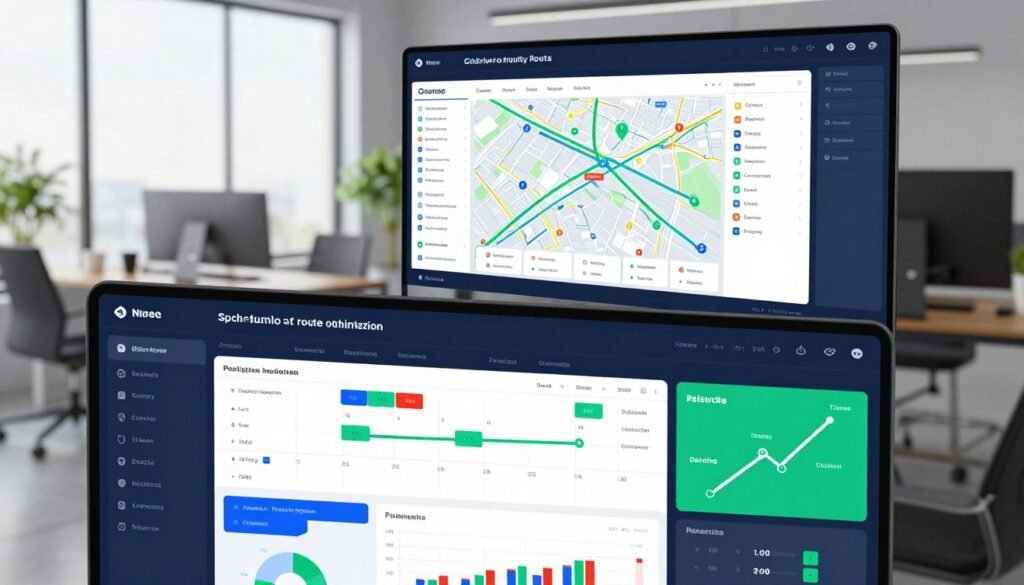
Driving between job sites consumes valuable time and resources. Smart route optimization algorithms sequence stops for maximum efficiency.
The system analyzes locations, estimated job durations, and priority levels. It then suggests the most logical travel path for each field team.
This planning can significantly reduce unnecessary mileage. Businesses report meaningful savings on fuel costs and vehicle wear.
The current algorithm doesn’t incorporate live traffic data. Managers should account for this limitation during peak travel times.
GPS and Waypoint Tracking for Field Teams
Real-time visibility into field operations enhances accountability and responsiveness. GPS tracking shows technician locations on a live map.
Dispatchers monitor progress without disruptive phone calls. They can see when a team arrives at a site and when they depart.
This supports accurate job tracking and client updates. Service managers provide customers with more precise arrival windows.
Waypoint tracking records stops between scheduled appointments. This helps verify work hours and travel patterns for payroll.
GPS accuracy depends on cellular signal strength in the area. Weak signals in remote locations may affect position reporting.
These tools collectively create a transparent operational environment. They empower managers to make informed decisions throughout the workday.
Getting Paid Faster: Invoicing and Payment Processing
Efficient payment processing transforms completed work into immediate revenue. This eliminates the cash flow gaps that plague many service companies.
The right financial tools make collecting money straightforward. They turn administrative tasks into automated systems that work for your business.
Creating and Sending Professional Invoices
Professional billing starts the moment a job finishes. Technicians can generate branded invoices directly from the mobile app.
These documents automatically include all job details and labor notes. You can even attach before-and-after photos for visual proof of work completed.
Custom templates ensure every invoice reflects your brand identity. This professional presentation builds trust with customers and encourages prompt payment.
The software links invoices directly to the original work order. This creates a clear audit trail from estimate to final bill.
Integrated Online Payments with Jobber Payments
Getting paid becomes much faster with integrated payment processing. Jobber offers a secure solution called Jobber Payments.
Clients receive invoices via email with a direct payment link. They click to access a secure portal for credit card or bank transfer payments.
This system dramatically reduces the payment cycle. Many businesses receive funds within one to two business days.
All transactions sync immediately with QuickBooks Online. This eliminates manual data entry and reconciliation errors.
Automated Follow-ups and Payment Tracking
The platform handles payment reminders so you don’t have to. Customizable schedules send automatic emails for overdue invoices.
You maintain professional relationships while ensuring cash flow. The system tracks all payment attempts and client responses in one dashboard.
This automation saves hours each week previously spent on collections. It ensures consistent follow-up without awkward conversations.
There are some limitations to consider. The platform doesn’t support PayPal or other popular digital wallets.
International home service businesses may face challenges. Currency support is primarily limited to USD and CAD for North American operations.
Despite these constraints, the integrated system accelerates revenue collection. It provides reliable payments processing for most domestic service companies.
Enhancing Client Relationships with Jobber’s CRM Tools
The true value of a service business lies in its ability to retain and grow its client base. This platform provides comprehensive relationship management tools designed specifically for home service companies.
These features help transform transactional interactions into lasting partnerships. They create systems that foster loyalty and repeat business.
The Centralized Client Hub
Every customer receives a detailed digital profile within the system. This file consolidates contact information, complete service history, and property photographs.
Having all data in one place eliminates scattered notes and forgotten details. Technicians access this information before arriving at any job site.
The external Client Hub portal offers transparency to your customers. Clients securely view quotes, invoices, and request new services through this interface.
This dual approach streamlines internal operations while empowering clients. It builds trust through open communication and organized record-keeping.
Automated Communication: Reminders and Reviews
Consistent touchpoints prevent missed appointments and manage expectations. The platform automates email and SMS messages for reminders, follow-ups, and thank-you notes.
These timely notifications reduce last-minute cancellations and no-shows. They demonstrate professional communication without manual effort from your team.
Higher-tier plans include two-way messaging capabilities. This allows direct conversation between field teams and customers through the mobile app.
Automated review requests help build your online reputation after job completion. Positive feedback generates social proof that attracts new business.
Client Segmentation and Service History
Custom tags enable smart categorization of your customer database. Apply labels like “Commercial,” “Residential,” or “Priority Account” for targeted marketing.
This segmentation allows personalized service approaches and promotional campaigns. You can tailor communications based on specific client needs and preferences.
Complete service history tracking informs future interactions and recommendations. Technicians reference past work to provide consistent, informed service.
These field service management tools create efficient, personalized experiences. They help service providers anticipate needs rather than simply react to requests.
The CRM capabilities turn customer data into actionable business intelligence. This strategic approach strengthens client relationships over the long term.
Time Tracking, Integrations, and Areas for Improvement
To fully evaluate any business software, one must examine both its core capabilities and where it falls short. This balanced perspective reveals whether a platform can grow with your operations.
The right tools should handle essential workforce management while connecting to your other systems. Understanding these aspects helps service companies make informed decisions.
Mobile Time Tracking and Timesheet Management
Accurate labor tracking is fundamental for payroll and project costing. The platform offers straightforward time tracking through its mobile application.
Field employees can start a digital timer when they begin work. They can also enter hours manually if preferred. This data flows directly into timesheets for manager review.
The system simplifies approval and payroll processing. However, it lacks automatic overtime calculation based on weekly thresholds.
Advanced features like geofencing are not available. The timer cannot auto-start when technicians arrive at a job site.
For basic tracking needs, the functionality works well. Businesses requiring complex labor rules may need supplemental tools.

App Marketplace and Key Integrations
No software operates in isolation. A robust ecosystem extends platform value through connections.
This system integrates with approximately fifty popular business applications. These partnerships cover critical areas like accounting, payments, and marketing tools.
QuickBooks Online sync ensures financial data remains consistent. Payment processors like Stripe and Square enable flexible transaction options.
Gusto integration streamlines payroll for your team. Mailchimp connections help execute email campaigns to your client base.
Zapier opens doors to hundreds of additional automations. Google Calendar keeps schedules synchronized across platforms.
This marketplace approach lets businesses build a customized tech stack. You can connect the tools you already use for various services.
Notable Limitations and Missing Features
Every platform has constraints that may affect certain operations. Recognizing these gaps prevents unexpected challenges.
The mobile app offers limited functionality without an internet connection. Field crews in areas with poor cellular service cannot access all features.
Advanced reporting capabilities are somewhat restricted. Creating highly customized analytics dashboards requires external solutions.
The platform does not include complex project management modules. Multi-phase construction jobs or detailed inventory tracking need separate systems.
Artificial intelligence features are minimal beyond basic message tone suggestions. There is no predictive scheduling or smart resource allocation.
Customization options for workflows and interfaces are not extensive. The pricing structure is based per user, which can add cost as you scale.
These limitations are common for mid-tier field service solutions. The platform focuses on core operations rather than enterprise-level complexity.
Jobber Pricing Plans: A Detailed Cost-Benefit Analysis
The financial commitment to operational software requires careful analysis of tiered plans and feature access. This platform uses a straightforward subscription model with four main tiers.
Each level unlocks specific capabilities for different business sizes. Understanding these plans helps you match costs with operational needs.
All pricing follows a per user structure with monthly or annual billing options. Additional premium features are available as paid add-ons.
The Core Plan: For Solo Operators
Starting at $39 per month, this entry-level option supports one user. It’s designed for individual contractors or very small service businesses.
The Core tier includes essential scheduling and basic invoicing tools. You get client management and simple job tracking capabilities.
This plan works well for solopreneurs handling all operational tasks themselves. It provides a digital foundation without complex features.
The limitation is clear: only one login means no team collaboration. Growing beyond a one-person operation requires upgrading.
The Connect Plan: For Small Teams
Priced at $169 monthly, Connect supports up to five users. This tier introduces collaboration tools for small teams.
Key additions include online payment processing and two-way messaging. Employees can use the mobile app for time tracking and updates.
The Connect plan enables basic route optimization and calendar sharing. It’s ideal for businesses with 2-5 field technicians.
At this level, the cost per person decreases significantly compared to Core. The platform becomes a true team coordination tool.
The Grow Plan: For Scaling Businesses
The $349 per month Grow tier accommodates up to ten users. This plan targets established companies expanding their operations.
Advanced features include custom reporting and automated review requests. You gain access to client segmentation tools for targeted marketing.
Recurring services management becomes available at this level. Businesses can set up maintenance contracts and subscription billing.
The Grow plan supports more complex project workflows and customer communication. It’s designed for businesses experiencing steady growth.
The Plus Plan: For Advanced Operations
At the top tier, Plus costs $599 monthly for fifteen user licenses. This enterprise-level option suits larger service organizations.
Premium features include QuickBooks Online sync and custom forms. You get priority support and advanced security controls.
The plan supports multiple locations and complex billing scenarios. It handles high-volume operations with extensive customer databases.
Additional users beyond fifteen cost $29 each per month. This per user add-on fee applies across all subscription tiers.
Free Trial and Overall Value Assessment
The platform provides a 14-day free trial with full feature access. There is no permanent free plan available after this period.
Annual billing offers substantial savings with a 20% discount. This commitment reduces monthly costs for stable businesses.
Premium add-ons like custom reporting incur extra monthly fees. These optional features address specific operational needs.
Customer reviews often highlight the time savings from automation. Many users report recovering multiple billable times weekly.
The mobile app allows field updates and client communication via phone. This keeps operations flowing smoothly between office and field.
Jobber offers a scalable solution that grows with your company. The value proposition centers on operational efficiency gains.
When comparing costs to manual processes, the return on investment becomes clear. The right plan should align with both current needs and near-term growth projections.
User Experience, Support, and Security
Beyond features and pricing, the real test of operational software lies in its usability and reliability. This section examines the daily interaction with the platform’s interface and support systems.
A smooth experience ensures your team adopts the tools quickly. Strong security protects your business and client information at all times.
Desktop Interface and Ease of Use
The web dashboard presents a modern and clean layout. Navigation follows logical patterns that most users grasp quickly.
Core functions like scheduling and invoicing are prominently displayed. This intuitive design reduces training time for new employees.
Some advanced settings require digging through menus. The gentle learning curve makes basic operations accessible immediately.
Customization options for the dashboard are somewhat limited. The interface prioritizes function over extensive personalization.
Mobile App Functionality and Offline Access
Field teams rely heavily on the mobile application for daily work. This app provides full job management capabilities from any location.
Technicians can view schedules, update job statuses, and log time. They also handle client communication directly through the app.
Important limitations affect usability in certain situations. The mobile version lacks a monthly calendar view and detailed reports.
Offline access remains spotty and inconsistent across features. A weak cellular signal can prevent critical updates from syncing.
This constraint impacts teams working in remote service areas. The platform functions best with stable internet connectivity.
Customer Support and Training Resources
Multiple support channels address different types of assistance requests. Live help is available via online chat, email, and phone during business hours.
The response times vary depending on the chosen method. Phone support typically provides the fastest resolution for urgent issues.
Comprehensive training materials help users master the software. Guides, video tutorials, and webinars cover all major features.
A searchable knowledge base contains answers to common questions. This self-service option works well for non-urgent troubleshooting.
New customers receive guidance during the onboarding process. The available resources support continuous learning as your business grows.
Data Security and Compliance
Protecting sensitive information is non-negotiable for any business solution. This platform employs enterprise-grade security measures.
It maintains SOC 2 Type 2 certification for operational controls. This audit verifies proper handling of customer data.
GDPR compliance ensures adherence to international privacy standards. The system respects data protection regulations across regions.
All data transmissions use 256-bit SSL encryption. Information stored on servers benefits from AES encryption standards.
These protocols safeguard financial records and client details. Your business information remains secure against unauthorized access.
The security framework provides peace of mind for service companies. It meets the expectations of both small teams and growing enterprises.
Conclusion: Is Jobber the Right Field Service Software for You?
Determining whether this solution fits your operation involves weighing its specialized strengths against potential limitations.
This field service management platform excels for small to medium-sized service businesses. It delivers powerful route optimization, mobile access, and scheduling tools.
The software streamlines operations in key industries like cleaning and HVAC. Over 85% of reviewers recommend it for these home service applications.
However, Jobber may not suit larger enterprises needing advanced features. Solopreneurs might find the cost challenging for basic needs.
Consider your business size, budget, and specific operational requirements. This specialized solution offers excellent value for targeted field service companies.
FAQ
What types of businesses use this field service management software?
This solution is designed for home service and field service companies. Common users include landscaping crews, cleaning services, HVAC technicians, and plumbing contractors. It helps these businesses manage scheduling, client communication, and payments from one platform.
How does the software help with getting paid faster?
The system speeds up payments through professional digital invoices and integrated payment processing. Clients can pay online via credit card or bank transfer. Automated payment reminders also reduce late payments and improve cash flow for your service business.
Can my team use the app without an internet connection?
Yes, the mobile app offers offline functionality. Field employees can view their schedules, log work time, and add job notes without a cell signal. Data syncs automatically once the device reconnects, ensuring no disruption to operations.
Does it include tools for planning efficient daily routes?
Absolutely. The route optimization feature analyzes all scheduled jobs for the day. It then plans the most efficient driving order to save fuel and time. This intelligent dispatch helps your team complete more jobs in fewer hours.
What support and training are available for new users?
Users get access to a comprehensive help center, video tutorials, and live webinars. Email and chat support are included with all plans. This ensures your team can quickly master the tools and improve service management.