What if your next gathering could truly welcome everyone, no matter how they join or what challenges they face?
Creating inclusive experiences is more important than ever. Modern meetings often blend in-person and online participation. This format presents unique hurdles for ensuring everyone feels included.
Good planning helps not only individuals with specific needs. It also supports those facing language differences or technical issues. Thoughtful design creates a better experience for your entire audience.
This guide offers practical steps for U.S.-based organizers. We cover everything from early planning to post-event reviews. You’ll learn about technology choices, necessary accommodations, and legal standards.
Key Takeaways
- Inclusive design benefits all participants, not just those with specific needs
- Combining physical and digital formats requires careful planning
- Proper accommodations address various barriers to participation
- Technology selection plays a crucial role in accessibility
- Legal considerations are essential for U.S. events
- Continuous improvement through post-event feedback is valuable
Understanding the Importance of Hybrid Event Accessibility
Creating environments where all participants feel equally valued requires thoughtful attention to inclusion from the outset. Modern gatherings that combine physical and digital spaces present unique challenges for ensuring everyone can fully engage.
Thoughtful design removes obstacles that might prevent any attendee from meaningful participation. This approach benefits the entire audience, not just those with specific requirements.
Why Accessibility Matters for All Attendees
Equal participation forms the foundation of successful gatherings. When everyone can engage fully, the collective experience improves dramatically.
Measures like closed captioning help people with hearing challenges. They also assist those in noisy environments or learning English.
Sign language interpretation supports individuals with specific communication needs. Visual aids and clear materials help people with various learning preferences.
Thoughtful design creates better experiences for everyone involved. Temporary limitations like injuries or technical issues affect many participants beyond those with permanent conditions.
Legal and Ethical Considerations in the U.S.
The Americans with Disabilities Act establishes clear standards for gatherings. This legislation requires reasonable accommodations to ensure equal access.
Organizers must address physical and digital barriers to participation. Failure to provide necessary support could violate civil rights protections.
Beyond legal requirements, ethical considerations drive inclusive design. Diverse participation enriches discussions and outcomes for all involved.
Modern expectations favor organizations that prioritize equity and inclusion. This alignment with social values strengthens community connections and engagement.
Proactive planning demonstrates commitment to serving all community members effectively. It shows respect for the varied needs within any audience.
Pre-Event Planning and Preparation
Successful gatherings begin long before the first participant arrives. Early preparation lays the foundation for meaningful engagement across all formats.
Thoughtful organization ensures everyone can participate fully. This approach addresses potential barriers before they become issues.
Defining Your Event’s Purpose and Format
Start by clarifying your gathering’s core objectives. Different formats require distinct support systems.
A keynote presentation needs different technology than a workshop. Internal meetings have different participation needs than public conferences.
Your format directly influences the accommodations required. Clear goals help determine the right support services.
Assessing Technology and Venue Needs
Evaluate your digital platform’s capabilities carefully. Choose systems that work with screen readers and captioning tools.
Visit unfamiliar spaces personally before finalizing arrangements. Check room dimensions, furniture layout, and acoustic quality.
Look for potential barriers like stairs or heavy doors. Ensure proper sight lines and audio coverage throughout the space.
Integrated speakers and multiple microphones create clearer sound. Large displays help remote participants feel connected.
Creating an Accessibility Budget and Timeline
Allocate specific funds for inclusion services early. Live captioning and interpreters require advance booking.
Set clear deadlines for testing all technology systems. Allow time for troubleshooting and adjustments.
Distribute accessible materials before the gathering date. This gives people time to prepare and request additional support.
Schedule technical support for both physical and digital setups. Proper planning prevents last-minute challenges.
Selecting Accessible Technology and Platforms
The right technological foundation can make or break participation for diverse audiences. Your digital tools should remove obstacles rather than create them.
Thoughtful technology choices ensure everyone can engage meaningfully. This applies to both physical and remote participants.
Choosing the Right Hybrid Event Software
Select platforms known for robust inclusion features. Zoom remains popular for its comprehensive toolset.
Look for built-in captioning capabilities and screen reader compatibility. These features help people with various needs.
Always provide multiple connection options for maximum flexibility. Internet-based and telephone dial-in methods accommodate different situations.
Test all functions thoroughly before your gathering. Ensure smooth operation for the actual experience.
Evaluating Platform Accessibility Features
Check keyboard navigation capabilities for those who cannot use mice. High contrast modes assist people with visual limitations.
Verify compatibility with assistive devices and software. This includes screen magnifiers and voice control systems.
Font size adjustments and color contrast settings matter greatly. Simple interface designs reduce cognitive load for all attendees.
Platforms should meet recognized digital standards like WCAG. Compliance ensures basic requirements are met.
Integrating Audio/Visual Systems for Hybrid Settings
Multiple microphones capture clear audio throughout the physical space. Strategic placement prevents dead zones.
Quality speakers ensure remote participants hear everything clearly. This creates a more unified experience.
Camera positioning must show both speakers and visual materials. Remote attendees need to see presentations and people.
Coordinate caption displays across physical screens and digital platforms. Synchronization prevents confusion.
Test audio clarity and visual quality well in advance. Early testing identifies potential barriers before they affect participants.
Implementing Comprehensive Hybrid Event Accessibility Guidelines
Thoughtful implementation creates seamless experiences across physical and digital spaces. Proper execution ensures all participants can engage fully regardless of their location or needs.
Successful integration requires attention to both venue setup and digital materials. This approach removes participation barriers for diverse audiences.
Physical Space Accommodations and Setup
Venue selection directly impacts participant experience. Choose locations with wheelchair ramps and wide aisles.
Adjustable podiums accommodate speakers of different heights. Proper lighting helps people see presenters and materials clearly.
Sound amplification systems ensure everyone hears discussions properly. Microphone placement throughout the room captures all voices.
Digital Accessibility Standards for Materials
Create presentations with high color contrast between text and background. Use simple, readable fonts for better clarity.
Provide alternative text descriptions for all images and graphics. This supports people using screen reading software.
Share slides and documents in accessible formats before meetings. PDF and HTML files work well with various assistive devices.
Communication and Interaction Considerations
Train staff to use clear language and describe visual content. Moderators should repeat questions from both audiences.
Encourage participants to state their names before speaking. This helps everyone follow conversations more easily.
Offer multiple interaction methods like chat functions and hand-raising features. Different options accommodate various communication preferences.
Camera positioning should capture both speakers and important signage. Test audio levels to ensure remote attendees hear everything clearly.
Providing Essential Accommodations and Services
Essential accommodations remove participation barriers for diverse audiences. These services ensure everyone can engage fully regardless of their specific requirements.
Thoughtful planning addresses various needs through multiple support options. This approach creates more inclusive experiences for all participants.
Closed Captioning and Live Transcription
Professional captioners provide accurate real-time text conversion. Human transcription exceeds automated systems in quality and reliability.
Display captions on both physical screens and digital platforms. This ensures all attendees can follow conversations clearly.
Live captioning supports people with hearing challenges and those in noisy environments. It also assists individuals processing information differently.
Sign Language Interpretation Options
American Sign Language interpreters facilitate communication for deaf attendees. Proper positioning ensures visibility for both in-person and remote participants.
Well-lit staging areas help people see interpreters clearly. Camera framing should capture interpreters during digital broadcasts.
Multiple interpreters may be needed for longer sessions. This maintains quality throughout extended programming.
Assistive Listening Devices and Visual Supports
Listening systems amplify audio for people with hearing needs. These devices work with hearing aids or provide direct audio transmission.
Coordinate with institutions like Harvard for equipment loans if needed. This expands available resources without large investments.
Large screens and high-contrast displays assist people with visual limitations. Descriptive audio services explain visual content during presentations.
Clear sight lines and adjustable seating options improve visual access. These considerations help everyone see important information.
Accessible Event Marketing and Communication
Your promotional strategy sets the tone for participant expectations. Clear communication from the start demonstrates commitment to inclusion.
Effective outreach ensures all potential attendees understand available support options. This approach builds trust before people even register.
Creating Inclusive Promotion Materials
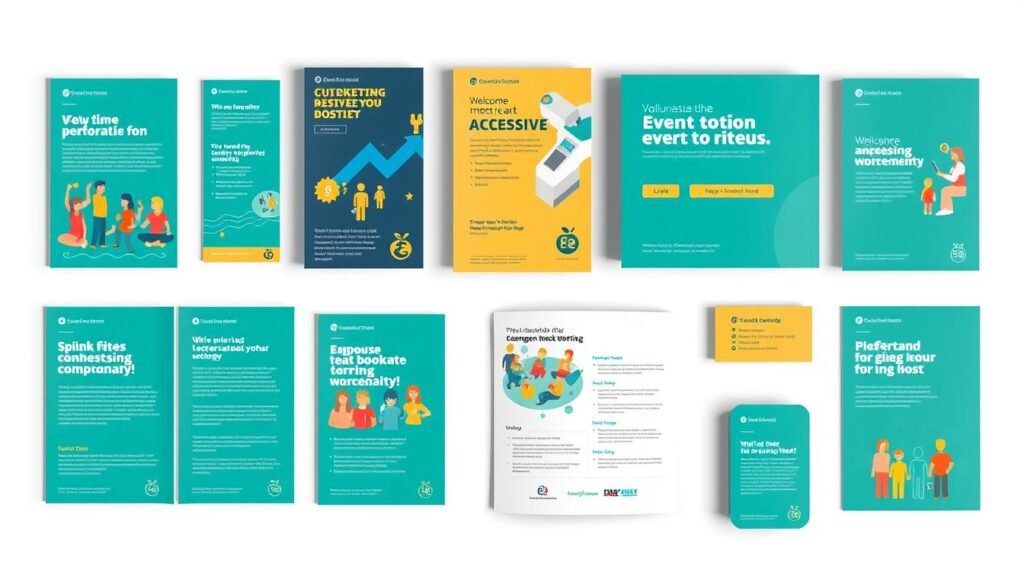
Design materials with high color contrast between text and background. Simple fonts improve readability for everyone.
Avoid visual clutter that might confuse some individuals. Clean layouts help people focus on essential information.
Screen reader compatibility matters for digital ads and emails. Test all promotional content with accessibility tools.
Follow WCAG standards for all marketing collateral. This ensures basic requirements are met across materials.
Clear Accommodation Statements and Requests
Specify available services like captioning and interpreters in all communications. Mention assistive listening devices if offered.
Provide clear contact information for accommodation requests. Emphasize that costs are covered by the organization.
Make the request process simple and straightforward. Complex forms might discourage people from asking for help.
Pre-Event Information Sharing Strategies
Distribute agendas and accessible slides well before the gathering. This gives attendees time to prepare properly.
Share technology requirements through multiple channels. Use email and website announcements to reach all audience members.
Disable virtual waiting rooms in platforms like Zoom. This prevents reentry problems for participants.
Provide direct contact details for technical support. Quick help resolves issues before they affect participation.
Execution and Management During the Event
Effective management during your gathering ensures all participants receive equal attention and support. Proper coordination between physical and digital spaces creates a seamless experience for everyone involved.
Thoughtful execution removes participation barriers in real-time. This approach addresses both expected and unexpected challenges as they occur.
Moderator and Staff Responsibilities
Assign specific team members to monitor digital chat functions continuously. These moderators should facilitate discussions and call on speakers from both audiences.
Train all staff on proper communication etiquette before the gathering begins. This includes describing visual content and using microphones correctly.
Designate someone to ensure all support features remain active throughout the program. This person verifies captioning services and interpreter visibility work properly.
Staff should repeat questions from both physical and remote participants. This practice ensures everyone hears discussions clearly.
Technical Setup and Testing Protocols
Check all audio and video equipment before attendees arrive. Test microphones, cameras, and internet stability thoroughly.
Conduct complete sound checks in the physical space. Verify audio clarity for both in-person and remote audiences.
Examine platform functions like captioning and interpreter positioning. Ensure these features work correctly from both participant views.
Camera tests should confirm proper framing of speakers and visual materials. Remote participants need to see presentations clearly.
Real-Time Accessibility Support Systems
Keep technical experts available throughout the entire program. These professionals can address issues immediately as they arise.
Provide clear contact methods for reporting problems instantly. Quick response times prevent participation barriers from lasting too long.
Mute non-speakers to reduce background noise and distractions. This practice improves audio quality for everyone involved.
Implement protocols like hand-raising for orderly interaction. These systems help manage discussions across both participation formats.
Start programs early to resolve any technical problems beforehand. This buffer time prevents delays from affecting the scheduled experience.
Describe all visual content including slides and demonstrations verbally. Pause between activities to allow processing time for all attendees.
Conclusion: Committing to Ongoing Accessibility Improvement
The journey toward accessibility excellence continues long after your gathering concludes. True inclusion requires ongoing dedication rather than one-time efforts.
Collect attendee feedback through surveys and focus groups. Track participation metrics to measure progress and identify areas for enhancement.
Partner with experts to stay current on evolving standards and technologies. This collaboration ensures your approach remains effective and compliant.
Continuous improvement creates better experiences for all participants. Prioritizing access removes barriers and benefits your entire audience.
This commitment to inclusivity leads to more engaging and successful events. It sets a positive standard for your organization and industry.
FAQ
What are the most critical features to look for in a hybrid event platform?
Prioritize platforms that offer built-in closed captioning, screen reader compatibility, adjustable text size, keyboard navigation, and support for assistive listening systems. Ensure it allows for sign language interpretation windows and provides accessible chat functions.
How can I make sure both in-person and remote attendees have equal access?
Design your program with dual engagement in mind. Use microphones for all speakers, ensure slides are visible on camera, provide digital copies of materials, and offer services like live transcription and sign language that benefit both audiences simultaneously.
What legal standards must hybrid events follow in the United States?
In the U.S., gatherings must comply with the Americans with Disabilities Act (ADA) and Section 508 of the Rehabilitation Act. These require equal opportunity for participation, effective communication, and accessible digital content for people with disabilities.
When should I start planning for accessibility needs?
A> Begin during the initial stages of your planning process. This allows time to budget for services like captioning or interpreters, test technology, train staff, and communicate accommodation options clearly in your promotional materials.
How do I handle accommodation requests from attendees?
Include a clear, prominent statement on all registration pages and communications inviting requests. Designate a contact person to respond promptly and confidentially. Have a process to fulfill common asks and be prepared to address unique needs as they arise.
What is the best way to provide accessible presentation materials?
Distribute slides and handouts in advance in accessible formats like PDFs with proper tags, high color contrast, and alt text for images. Ensure all videos have captions and provide transcripts for audio content after the session.