What if you could create professional custom merchandise without being a designer?
Many entrepreneurs struggle with this exact challenge. They have great ideas but lack the technical skills to bring them to life visually.
This is where a powerful online design platform like Envato Placeit comes in. It offers a massive collection of ready-to-use templates and digital assets.
Envato Placeit provides over 55,000 professional templates for every need. This includes mockups for t-shirts, logos for your business, and marketing videos.
Our complete review will show you how Envato Placeit can transform your product projects. You’ll learn if it’s the right solution to get better results for your brand.
We’ll cover key features, pricing, and a step-by-step guide. This will help you make an informed decision for your eCommerce or creative work.
Key Takeaways
- Create professional merchandise designs without prior design experience.
- Access a massive library with thousands of templates and mockups.
- Use a simple drag-and-drop interface suitable for all skill levels.
- Save time on creating marketing assets for your business or brand.
- Get all your branding needs met in one comprehensive platform.
- Produce high-quality visuals for products and social media posts.
- Evaluate if Envato Placeit fits your specific workflow and project goals.
What is Envato Placeit?
Envato Placeit operates entirely online, turning your web browser into a full-featured design workshop. It’s built for anyone who needs high-quality visuals but doesn’t have the time or skills for complex software.
The core idea is simple. You get access to a massive collection of pre-made design templates and digital assets. Then, you customize them with your own text, colors, and images using intuitive tools.
An Online Design Platform for Everyone
You don’t need a design degree or to install any software. Everything happens right in your browser with a straightforward drag-and-drop editor. This makes professional design accessible to complete beginners.
Small business owners, eCommerce sellers, marketers, and creators all use it. It serves as a one-stop solution for diverse visual needs. Whether you’re building a branding kit or creating content for social media, the process is the same.
Projects that might take hours elsewhere can be finished here in minutes. Despite the simplicity, the output remains professional and suitable for commercial use.
Core Function: Mockups, Logos, Videos, and Templates
The platform combines several key features in one workflow. Its library contains thousands of options ready for customization.
You can create realistic product mockups for your merchandise. Logo creation tools help establish your brand identity. There are also animated videos and graphics for marketing.
All these design templates are regularly updated with fresh, trend-aware styles. This ensures your visuals stay current and effective. It truly is a democratizing tool for visual creation.
Key Features and Benefits for Merch Design
Successful merch businesses rely on high-quality visual presentation to drive sales. The right platform provides all the necessary features in one accessible workspace.
You’ll find everything needed for professional merchandise creation. This includes realistic mockups, logo design, and marketing content.
A Massive Library of Templates and Mockups
The service offers an extensive collection of professional design templates. Over 55,000 options cover every conceivable merchandise and branding need.
This massive library organizes thousands of options by category. You can browse apparel mockups, logo templates, video intros, and social media formats.
Print materials and other digital assets are also available. The collection includes stock photos and other visual resources.
Drag-and-Drop Ease and Browser-Based Editing
Everything happens directly in your web browser with no software installation. The intuitive interface makes professional design accessible to beginners.
You can modify colors, text, fonts, and layouts with simple clicks. All editing happens in real-time through the drag-and-drop system.
This approach saves significant time on creating marketing materials. Even complex projects finish quickly without technical expertise.
Realistic Apparel and Product Mockups
The platform creates stunningly realistic representations of physical products. Advanced technology seamlessly integrates your designs onto model photos.
It accounts for proper lighting, shadows, and fabric texture. Your artwork blends perfectly with natural creases and folds.
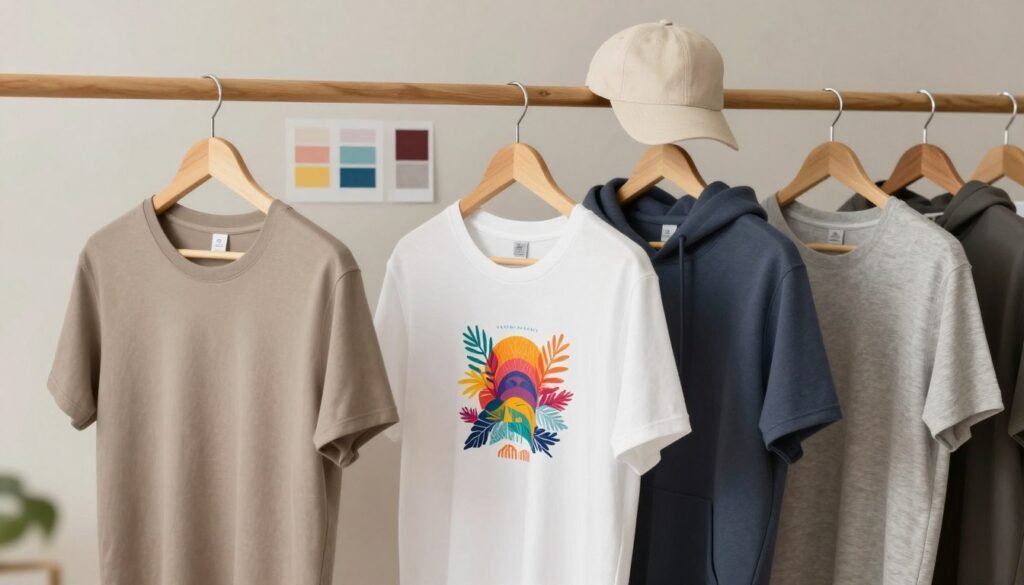
You can create mockups for t-shirts, hoodies, hats, and tote bags. Mugs, books, and tech devices are also available.
Logo Creation and Branding Tools
Establishing brand identity becomes straightforward with specialized tools. Thousands of industry-specific logos templates provide starting points.
Each template offers full customization for branding needs. You can adjust every element to match your unique vision.
These designs help create professional brand identities without design skills. The results work across all your merchandise and marketing materials.
Video and Social Media Content Creation
Modern marketing requires engaging motion video content. The platform includes templates for animated logo reveals and social promotions.
You’ll find pre-formatted options for Instagram Stories, TikTok, and YouTube. Facebook and other social media platforms are also supported.
Access to royalty-free music tracks enhances your video projects. These assets help create polished, professional marketing content.
These features collectively solve major pain points for merchandise sellers. They address time constraints, cost concerns, and design expertise requirements.
The platform delivers professional results that help products stand out. Your merchandise gains the visual appeal needed to attract customers and grow sales.
How to Use Placeit for Custom Merch in 3 Steps
Creating custom merchandise with polished visuals is now a straightforward three-step process. This streamlined workflow makes professional results accessible to everyone, regardless of their design background.
You can go from a blank slate to finished marketing assets in minutes. The same simple method works for t-shirts, logos, or social media banners.
Step 1: Browse and Select Your Template
Begin by exploring the massive library of professional templates. Use search terms and category filters to narrow down thousands templates to your perfect match.
Whether you’re looking for apparel mockups or animated videos, the platform organizes everything clearly. You can preview how each option will look with your brand elements before choosing.
This initial selection sets the foundation for your entire project. Taking time here ensures your final product presentation will be strong.
Step 2: Upload and Customize Your Design
The real magic happens in the drag-and-drop editor. Upload your artwork or logo directly into the selected template with a simple click.
Adjust colors to match your palette and modify text with different fonts. Reposition any element until your designs look exactly right.
All changes appear in real-time, letting you experiment freely. You can create multiple variations of the same mockups to compare different looks.
The tools are intuitive enough for complete beginners. Yet they offer enough control for experienced creators to craft unique content.
Step 3: Download and Use Your Watermark-Free Assets
Once satisfied, proceed to the download stage. Choose your preferred file format based on how you’ll use the final assets.
High-resolution PNG and JPG files are perfect for print and online listings. MP4 files work for animated videos in ads or social posts.
Your downloads come without any watermarks, ready for commercial use. This means you can immediately apply them to eCommerce platforms or marketing campaigns.
The flexibility here supports various business needs. You get professional files optimized for both digital and physical applications.
Complete projects often finish in under five minutes using this method. The speed allows for rapid testing of different merch concepts before production.
This simplified approach removes technical barriers completely. It empowers businesses to iterate quickly and bring products to market faster.
Placeit Pricing: Plans and Value for Money
Evaluating the return on investment requires a clear breakdown of subscription costs and feature access. The platform structures its pricing to serve different user needs effectively.
You can choose from three distinct tiers. Each offers varying levels of template access and download rights.
This flexibility ensures you only pay for what you actually need. Serious sellers get maximum value while casual users avoid unnecessary fees.
The Free Account: Getting Started
The free tier provides a risk-free way to explore the platform’s capabilities. You gain entry to the massive template library for browsing and testing.
However, downloads come with visible watermarks. These branded marks prevent commercial use of your creations.
This account works perfectly for initial experimentation. You can test the editor and see if the tools fit your workflow before spending money.
It’s an excellent option for students or hobbyists. They can create personal designs without any financial commitment.
The Unlimited Subscription: Best for Serious Sellers
This premium plan unlocks the platform’s full potential for business use. For a flat monthly or annual fee, you get unlimited access to everything.
The monthly rate is $14.95. Choosing annual billing reduces this to $89.69 per year.
That annual price represents nearly 50% savings compared to paying month-by-month. It’s the most cost-effective choice for regular users.
Your downloads are completely watermark-free and ready for commercial applications. You receive full licensing rights for all created assets.
This includes thousands of mockups, logos, and video templates. The library receives regular updates with fresh designs.
Serious eCommerce sellers benefit most from this tier. They can produce unlimited marketing materials for their products.
Pay-Per-Item Downloads for Occasional Use
Some users only need specific assets for one-off projects. The pay-per-download model accommodates these occasional needs perfectly.
Individual downloads typically cost between $8 and $10 each. You purchase credits that can be applied to any template in the collection.
This approach makes sense for very infrequent creators. They avoid recurring subscription charges while still accessing professional tools.
Each purchased item includes commercial usage rights. You own the final file just like subscription users do.
It’s a straightforward solution for single projects or annual reports. Freelancers completing client work might also prefer this flexible account type.
Comparing these options against alternatives reveals strong value. Hiring a freelance designer for a single logo often costs $100 or more.
Premium design software requires significant upfront investment and learning time. Other online platforms may charge similar rates for fewer assets.
The unlimited subscription provides exceptional value for active merchandise creators. They gain a complete design studio for less than many streaming services charge per month.
Your recommendation depends entirely on usage frequency. Test with the free tier first to ensure the platform meets your needs.
Choose the unlimited plan if you create multiple designs monthly. Opt for pay-per-item if your needs are truly sporadic and unpredictable.
All plans offer cancel-anytime flexibility. This removes financial risk from your decision-making process.
Placeit Review: Pros, Cons, and Who It’s For
Before committing to any creative platform, understanding its real-world pros and cons is essential. This balanced assessment helps you determine if the tool fits your specific merchandise creation needs.
We’ve tested the service extensively and gathered user feedback. The following analysis covers both strengths and limitations.
Advantages of Using Envato Placeit
The platform delivers several compelling benefits for merchandise creators. Its extreme ease of use stands out immediately for beginners.
You get a massive template variety with regular updates to keep designs current. The largest collection available includes thousands templates for every need.
These design templates offer unlimited access with a simple subscription. The realistic mockup quality produces professional results quickly.
Straightforward pricing removes confusion about what assets you can use. You get clear options without hidden fees or complex tiers.
Limitations and Considerations
Every tool has constraints worth noting before adoption. The service outputs video only in HD resolution at 1920×1080.
This means no 4K video support for ultra-high-definition projects. Some creators working with premium videos may find this limiting.
There’s no direct integration with Envato Elements for combined subscriptions. You also cannot purchase physical products directly through the platform.
It creates mockups of products but doesn’t manufacture or ship them. Your branding and logos appear realistic without physical fulfillment.
Placeit vs. Canva: Which Tool Should You Choose?
These popular platforms serve different primary purposes. Understanding their strengths guides the right selection.
The service excels at quick, realistic mockups and templated designs. It’s ideal for Instagram stories, motion effects, and video content creation.
Built-in royalty-free music enhances video projects effortlessly. The focus remains on speed and professional presentation.
Canva offers more creative control and team collaboration features. It provides more stock photos and custom layout options.
Choose Envato Placeit for product visualization and rapid asset generation. Select Canva for detailed graphic design and collaborative workflows.
Ideal User Profile: Who Benefits Most?
Certain users extract maximum value from this design approach. The platform serves specific workflows exceptionally well.
ECommerce sellers and print-on-demand businesses benefit greatly. They need fast, realistic product presentations for online stores.
Content creators and marketers requiring rapid visual assets find perfect solutions. Small business owners without design teams get professional results.
The service shines for product presentation across channels. Social media content, logo creation, and brand consistency become simple.
Consider alternatives if you need 4K video output or advanced customization. Team collaboration tools or physical product fulfillment require different solutions.
The learning curve is virtually non-existent compared to traditional software. Complete beginners achieve professional outcomes immediately.
Regular template additions keep the platform current with design trends. This evolution ensures your merchandise stays visually competitive.
This tool is optimal when you need speed and professional mockups. Choose other solutions for complex customization or team-based projects.
Conclusion: Is Envato Placeit the Right Tool for Your Merch Business?
Determining if Envato Placeit is right for your merchandise venture requires weighing its unique benefits against your project goals.
The platform delivers professional design results with remarkable speed. Its vast library of templates and mockups empowers anyone to create compelling content.
For solo entrepreneurs and small businesses, it offers exceptional value. You save significant time while building a cohesive brand identity with custom logos and assets.
Consider your projects and frequency. If you need rapid, high-quality visuals for products without a steep learning curve, Placeit is a top choice.
Start with the free account to test its options. This hands-on experience is the best way to see if it fits your creative workflow and drives your business forward.